In October 2026 the Food Safety & Drug Administration (FSDA), Uttar Pradesh, asked every retail medical store to keep its own website with its licence, pharmacist and stock details, so that patients can check them before they buy. This guide explains, in plain words, what the order asks for and how a store can comply in a few minutes.
This guide is based on news reports of the order (1–7 October 2026). The signed order was not public when we wrote it. Check the exact wording with your district Drug Inspector. This is general information, not legal advice, and Aushadhi Darpan is not an FSDA or government website.
What the order is
| Item | Detail |
|---|---|
| Issued by | Commissioner, Food Safety & Drug Administration, Uttar Pradesh |
| Date | 1 October 2026; district follow-ups from 6 October 2026 |
| From | 1 November 2026 (as reported) |
| Applies to | All retail pharmacies in UP, including pharmacies inside hospitals; some districts also sent it to wholesalers |
| Basis cited | Display of the price list under DPCO 2013 (para 24/25) and the Supreme Court case Sanjay Kulshreshtha vs Union of India |
| Nature | Self-disclosure for transparency, not price control |
What your website must show
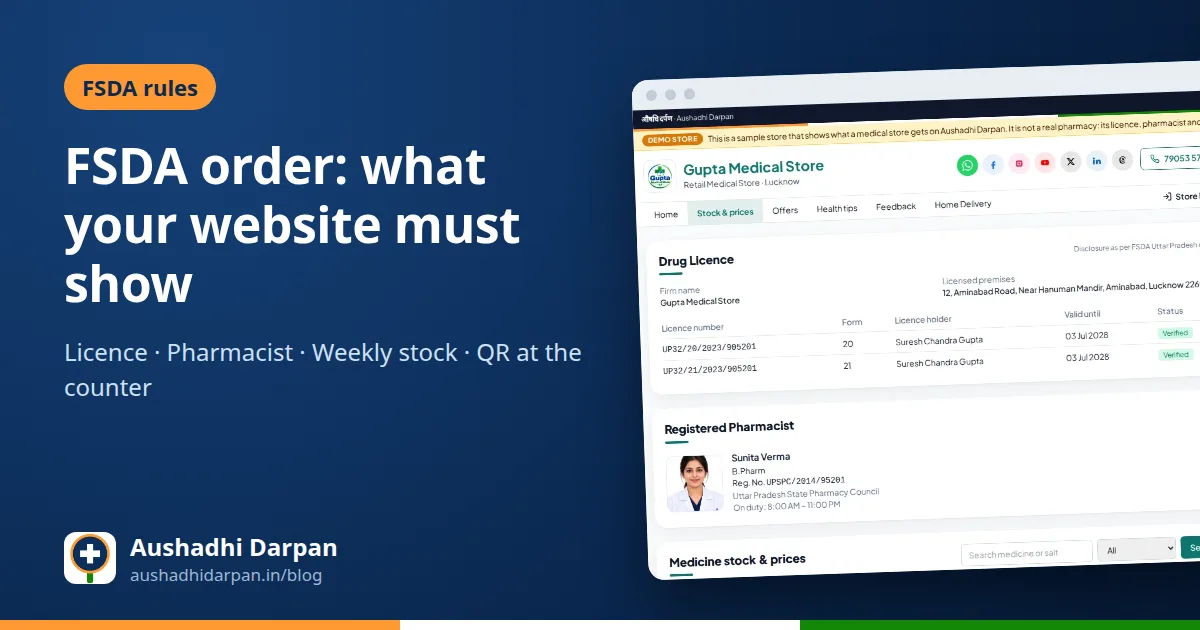
Every retail medical store should publish:
- The pharmacy or firm name, as on the drug licence
- Drug licence number(s), for example Form 20 and Form 21
- The licence holder's name
- The address of the licensed premises
- The name of the registered pharmacist
- The pharmacist's registration number (State Pharmacy Council)
- The pharmacist's photo
- Stock information, updated every week
Extra for hospital and in-patient pharmacies
Pharmacies inside hospitals, where patients have no real choice, are also asked to show for each medicine, device or nutraceutical: the manufacturer, brand name, generic name (salt), PTR (the price the hospital pharmacy actually paid) and PTC (the price actually charged to the patient).
At the counter: address and QR code
The website address must be displayed prominently at the counter, and customers should be able to open it with a QR code. A printed poster with the store name, the QR code and the website address does both. See our guide Medical store QR code.
How often to update
- Stock and prices: every week. Keep the date of each update visible.
- Licence and pharmacist details: whenever they change (renewal, new pharmacist, new address).
What the order is not
- It is not a price-control order: stores keep setting their own prices within the MRP.
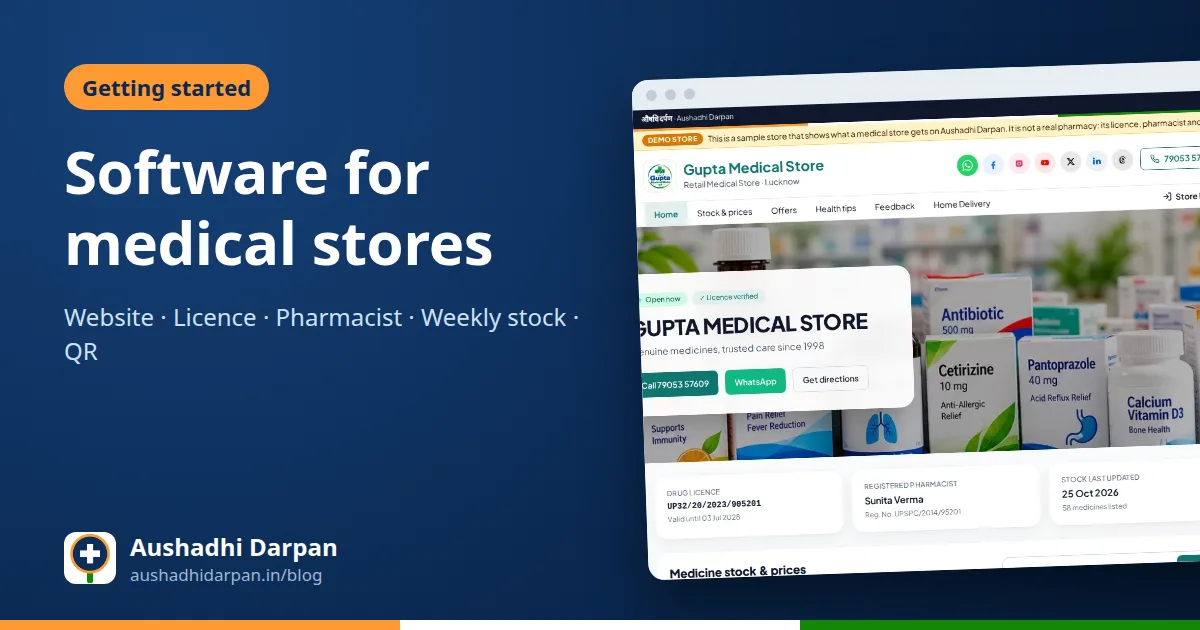
- It does not ask stores to sell online. A disclosure website is not an online pharmacy.
How to comply in 10 minutes
- Keep ready your drug licence copy, pharmacist details and photo, and a stock list from your billing software.
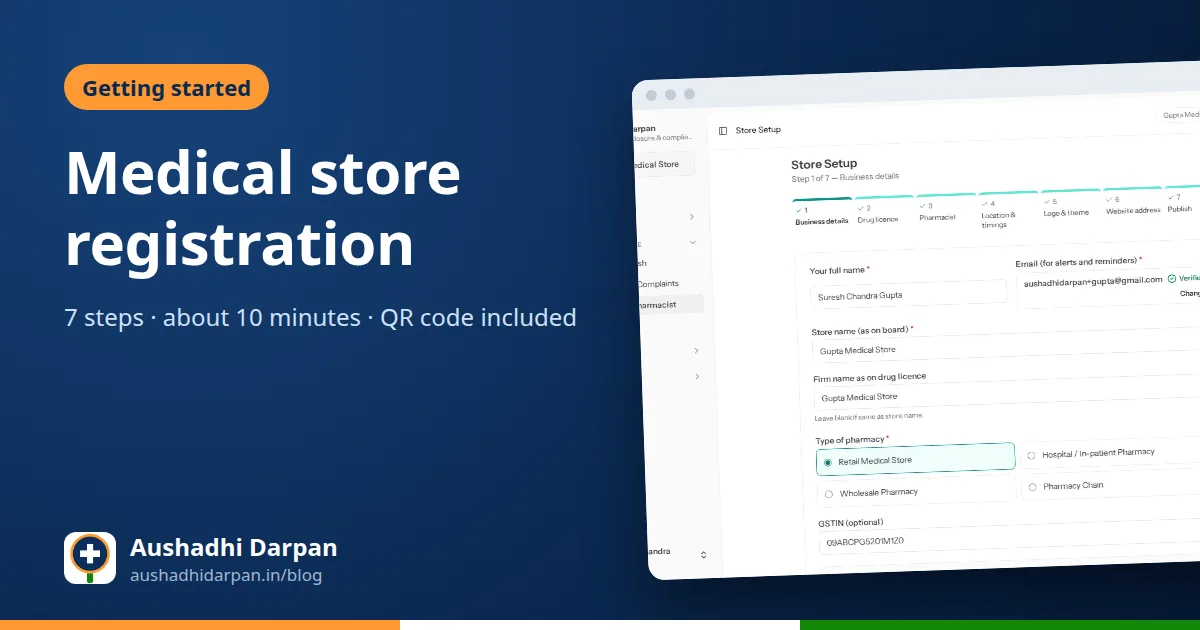
- Register on Aushadhi Darpan with your e-mail and mobile number and fill the 7 setup steps.
- Publish: your website goes live at
yourstore.aushadhidarpan.inwith the licence, pharmacist and timings. - Print the QR poster (A4 or A5) and put it at the counter.
- Upload your stock every week (Excel/CSV), or let the Sync Agent send it from Marg by itself.
The step-by-step store owner's guide has screenshots of every screen.
Frequently asked questions
Is a Facebook page or WhatsApp catalogue enough? The order asks for a website with the listed details and weekly stock. A social page usually cannot show the licence, pharmacist registration and a dated weekly stock list in one place.
My billing software already has my stock. Do I need to type it again? No. Export the closing stock from Marg, GoFrugal, RetailGraph or any software and upload the file. See How to export stock from Marg.
Does the website have to show my purchase price? Retail stores show MRP and selling price. The purchase price (PTR) is asked of hospital pharmacies.